

Datasheet Details
| Part number | TR250Z |
|---|---|
| Manufacturer | CO2Meter |
| File Size | 242.59 KB |
| Description | Manual |
| Download | TR250Z Download (PDF) |
|
|
|
Download the TR250Z datasheet PDF. This datasheet also includes the TR250Z-1 variant, as both parts are published together in a single manufacturer document.
| Part number | TR250Z |
|---|---|
| Manufacturer | CO2Meter |
| File Size | 242.59 KB |
| Description | Manual |
| Download | TR250Z Download (PDF) |
|
|
|
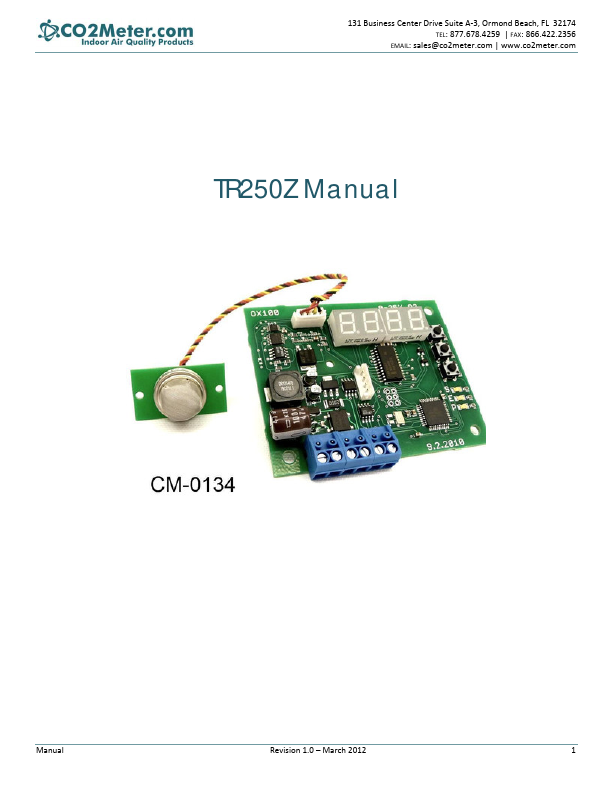
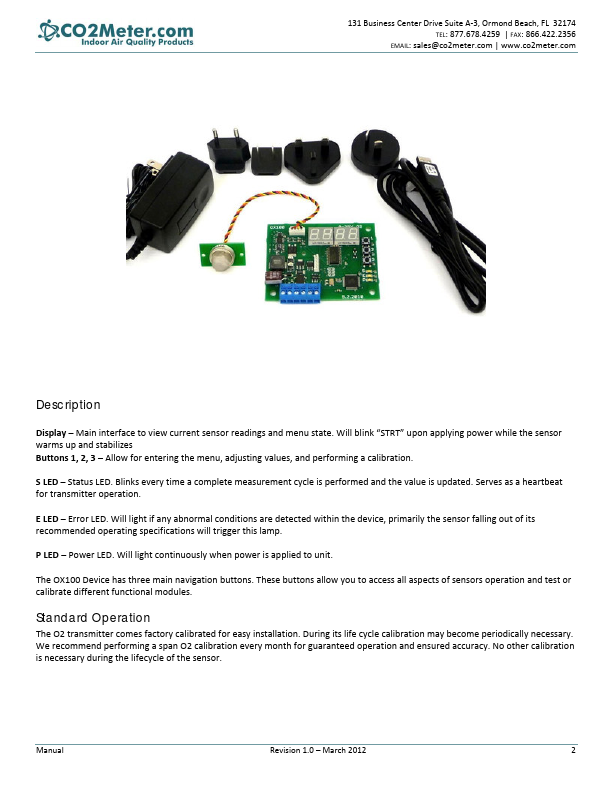
Display – Main interface to view current sensor readings and menu state. Will blink “STRT” upon applying power while the sensor warms up and stabilizes Buttons 1, 2, 3 – Allow for entering the menu, adjusting values, and performing a calibration. S LED – Status LED. Blinks every time a complete measurement cycle is performed and the value is updated. Serves as a heartbeat for transmitter operation. E LED – Error LED. Will light if any abnormal conditions are detected within the device, primarily the sensor falling out of its recommended operating specifications will trigger this lamp. P LED – Power LED. Will light continuously when power is applied to unit. The OX100 Device has three main navigation buttons. These buttons allow you to access all aspects of sensors operation and test or calibrate different functional modules. Standard Operation The O2 transmitter comes factory calibrated for easy installation. During its life cycle calibration may become periodically necessary. We recommend performing a span O2 calibration every month for guaranteed operation and ensured accuracy. No other calibration is necessary during the lifecycle of the sensor. Manual Revision 1.0 – March 2012 2 131 Business Center Drive Suite A‐3, Ormond Beach, FL 32174 TEL: 877.678.4259 | FAX: 866.422.2356 EMAIL: sales@co2meter.com | www.co2meter.com Entering the Service Menu To enter the service menu the buttons must be pressed in a factory‐set order. This code can be customized before shipment but by default will be 1‐2‐3. The buttons must be pressed within a half secon
131 Business Center Drive Suite A‐3, Ormond Beach, FL 32174 TEL: 877.678.4259 | FAX: 866.422.2356 EMAIL: sales@co2meter.com | www.co2meter.com TR250Z Manual Manual Revision 1.0 – March 2012 1 131 Business Center Drive Suite A‐3, Ormond Beach, FL 32174 TEL: 877.678.4259 | FAX: 866.422.2356 EMAIL: sales@co2meter.com | www.co2meter.
| Brand Logo | Part Number | Description | Manufacturer |
|---|---|---|---|
![]() |
TR250-080 | (TR250-xxx) PolySwitch Resettable Devices | Tyco Electronics |
![]() |
TR250-080T | POLYSWITCH | Tyco Electronics |
![]() |
TR250-080T | POLYSWITCH | Tyco Electronics |
![]() |
TR250-080U | PolySwitch PTC Devices Overcurrent Protection Device | Tyco Electronics |
![]() |
TR250-080U | POLYSWITCH | Tyco Electronics |
| Part Number | Description |
|---|---|
| TR250Z | Oxygen Sensor |
| TR250Z | Oxygen Sensor User Manual |