Datasheet4U Logo Datasheet4U.com

FS-N10 - Digital Fiber Sensor Instruction Manual

Features

  • of the FS-N10 Series and detailed instructions for configuration. Hints on Correct Use Warning.
  • This product is just intended to detect the object(s). Do not use this product for the purpose to protect a human body or a part of human body.
  • This product is not intended for use as explosion-proof product. Do not use this product in a hazardous location and/or potentially explosive atmosphere.
  • This product uses DC power. Do not apply AC power. The product may explode.

📥 Download Datasheet

Datasheet preview – FS-N10

Datasheet Details

Part number FS-N10
Manufacturer Keyence
File Size 3.59 MB
Description Digital Fiber Sensor Instruction Manual
Datasheet download datasheet FS-N10 Datasheet
Additional preview pages of the FS-N10 datasheet.
Other Datasheets by Keyence

Full PDF Text Transcription

Click to expand full text
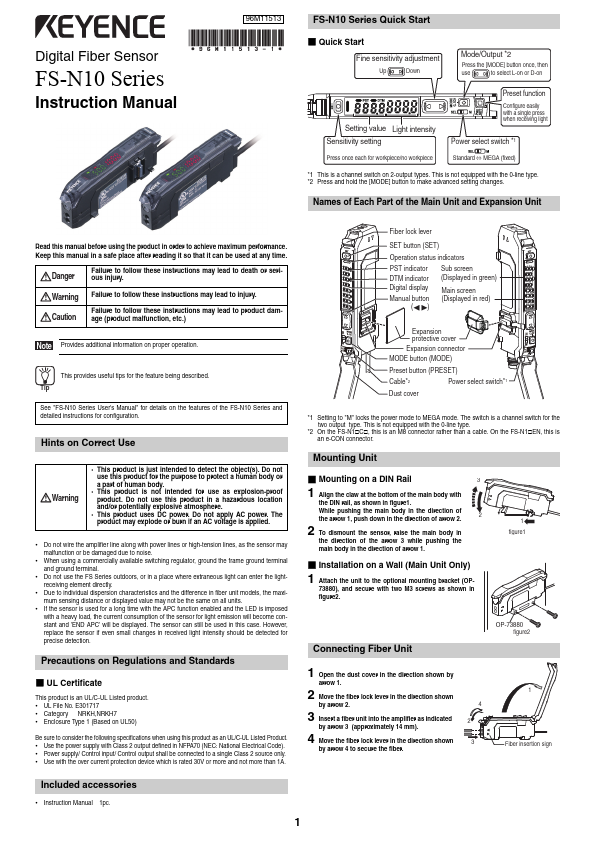
Digital Fiber Sensor FS-N10 Series Instruction Manual 96M11513 FS-N10 Series Quick Start „ Quick Start Fine sensitivity adjustment Up Down Mode/Output *2 Press the [MODE] button once, then use to select L-on or D-on Setting value Light intensity Sensitivity setting Press once each for workpiece/no workpiece Preset function Configure easily with a single press when receiving light Power select switch *1 Standard ˱MEGA (fixed) *1 This is a channel switch on 2-output types. This is not equipped with the 0-line type. *2 Press and hold the [MODE] button to make advanced setting changes. Names of Each Part of the Main Unit and Expansion Unit Read this manual before using the product in order to achieve maximum performance.
Published: |