

Datasheet4U Logo Datasheet4U.com

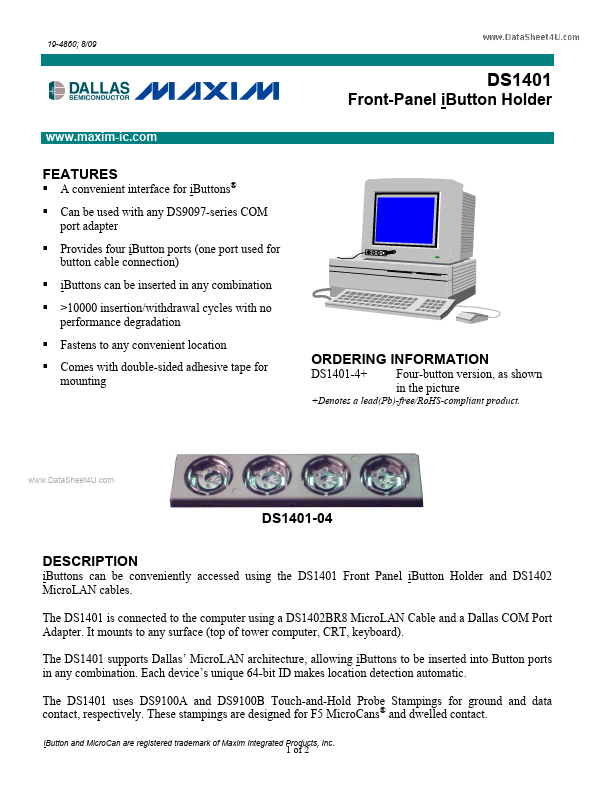
DS1401 - Front Panel Ibutton Holder

Description

iButtons can be conveniently accessed using the DS1401 Front Panel iButton Holder and DS1402 MicroLAN cables.

The DS1401 is connected to the computer using a DS1402BR8 MicroLAN Cable and a Dallas COM Port Adapter.

It mounts to any surface (top of tower computer, CRT, keyboard).

Features

  • A convenient interface for iButtons® Can be used with any DS9097-series COM port adapter Provides four iButton ports (one port used for button cable connection) iButtons can be inserted in any combination >10000 insertion/withdrawal cycles with no performance degradation Fastens to any convenient location Comes with double-sided adhesive tape for mounting.

📥 Download Datasheet

Datasheet preview – DS1401
Other Datasheets by Maxim Integrated Products

Full PDF Text Transcription

Click to expand full text
19-4860; 8/09 DS1401 Front-Panel iButton Holder www.maxim-ic.com FEATURES        A convenient interface for iButtons® Can be used with any DS9097-series COM port adapter Provides four iButton ports (one port used for button cable connection) iButtons can be inserted in any combination >10000 insertion/withdrawal cycles with no performance degradation Fastens to any convenient location Comes with double-sided adhesive tape for mounting ORDERING INFORMATION DS1401-4+ Four-button version, as shown in the picture +Denotes a lead(Pb)-free/RoHS-compliant product. www.DataSheet4U.com DS1401-04 DESCRIPTION iButtons can be conveniently accessed using the DS1401 Front Panel iButton Holder and DS1402 MicroLAN cables.
Published: |