Datasheet4U Logo Datasheet4U.com

DS1401 - Front Panel Ibutton Holder

Datasheet Summary

Description

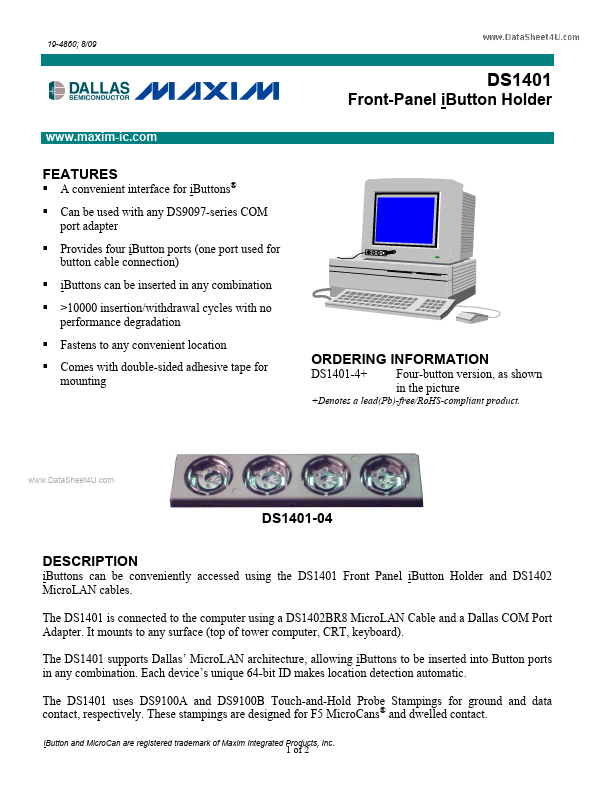
iButtons can be conveniently accessed using the DS1401 Front Panel iButton Holder and DS1402 MicroLAN cables.

The DS1401 is connected to the computer using a DS1402BR8 MicroLAN Cable and a Dallas COM Port Adapter.

It mounts to any surface (top of tower computer, CRT, keyboard).

Features

  • A convenient interface for iButtons® Can be used with any DS9097-series COM port adapter Provides four iButton ports (one port used for button cable connection) iButtons can be inserted in any combination >10000 insertion/withdrawal cycles with no performance degradation Fastens to any convenient location Comes with double-sided adhesive tape for mounting.

📥 Download Datasheet

Datasheet preview – DS1401

Datasheet Details

Part number DS1401
Manufacturer Maxim Integrated Products
File Size 256.36 KB
Description Front Panel Ibutton Holder
Datasheet download datasheet DS1401 Datasheet
Additional preview pages of the DS1401 datasheet.
Other Datasheets by Maxim Integrated Products

Full PDF Text Transcription

Click to expand full text
19-4860; 8/09 DS1401 Front-Panel iButton Holder www.maxim-ic.com FEATURES        A convenient interface for iButtons® Can be used with any DS9097-series COM port adapter Provides four iButton ports (one port used for button cable connection) iButtons can be inserted in any combination >10000 insertion/withdrawal cycles with no performance degradation Fastens to any convenient location Comes with double-sided adhesive tape for mounting ORDERING INFORMATION DS1401-4+ Four-button version, as shown in the picture +Denotes a lead(Pb)-free/RoHS-compliant product. www.DataSheet4U.com DS1401-04 DESCRIPTION iButtons can be conveniently accessed using the DS1401 Front Panel iButton Holder and DS1402 MicroLAN cables.
Published: |