Datasheet4U Logo Datasheet4U.com

TR250Z - Manual

Download the TR250Z datasheet PDF. This datasheet also covers the TR250Z-1 variant, as both devices belong to the same manual family and are provided as variant models within a single manufacturer datasheet.

General Description

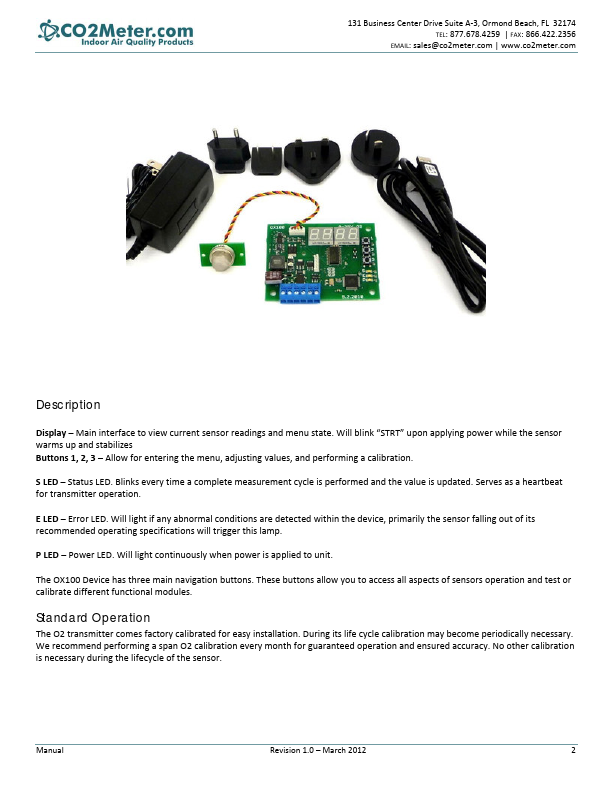
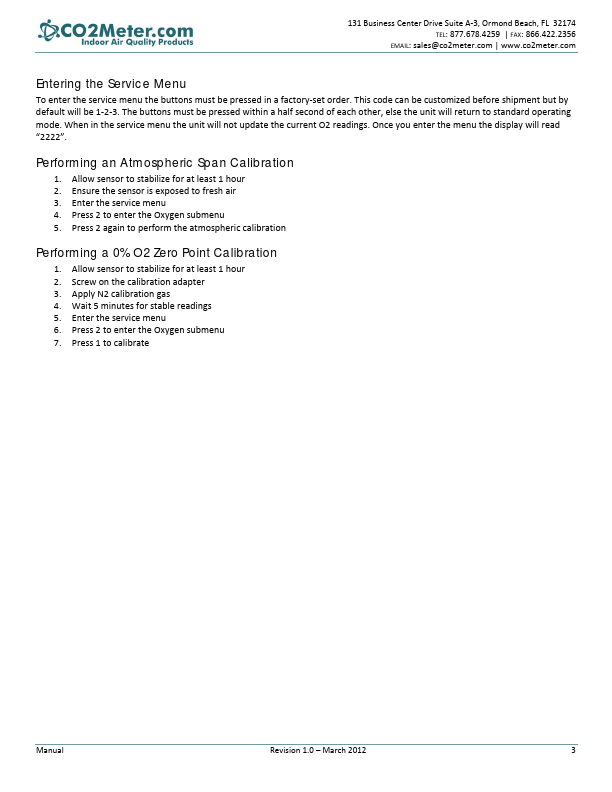
  Display 

 Main interface to view current sensor readings and menu state.

 Allow for entering the menu, adjusting values, and performing a calibration.

 Status LED.

📥 Download Datasheet

Note: The manufacturer provides a single datasheet file (TR250Z-1-CO2Meter.pdf) that lists specifications for multiple related part numbers.

Datasheet Details

Part number TR250Z
Manufacturer CO2Meter
File Size 242.59 KB
Description Manual
Datasheet download datasheet TR250Z Datasheet

Full PDF Text Transcription (Reference)

The following content is an automatically extracted verbatim text from the original manufacturer datasheet and is provided for reference purposes only.

View original datasheet text
131 Business Center Drive Suite A‐3, Ormond Beach, FL  32174  TEL: 877.678.4259  | FAX: 866.422.2356  EMAIL: sales@co2meter.com | www.co2meter.com          TR250Z Manual         Manual    Revision 1.0 – March 2012    1  131 Business Center Drive Suite A‐3, Ormond Beach, FL  32174  TEL: 877.678.4259  | FAX: 866.422.2356  EMAIL: sales@co2meter.com | www.co2meter.com    Description   Display – Main interface to view current sensor readings and menu state. Will blink “STRT” upon applying power while the sensor  warms up and stabilizes  Buttons 1, 2, 3 – Allow for entering the menu, adjusting values, and performing a calibration.    S LED – Status LED. Blinks every time a complete measurement cycle is performed and the value is updated. Serves as a heartbeat  for transmitter operation.