AD310
AD310 is MRC Decoder manufactured by Unknown Manufacturer.
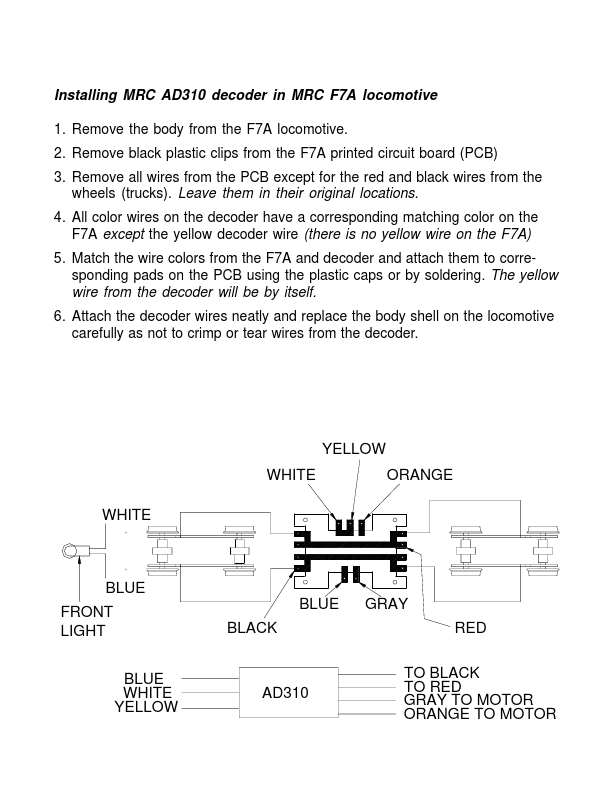
Installing MRC AD310 decoder in MRC F7A lootive 1. Remove the body from the F7A lootive. 2. Remove black plastic clips from the F7A printed circuit board (PCB) 3. Remove all wires from the PCB except for the red and black wires from the wheels (trucks). Leave them in their original locations. 4. All color wires on the decoder have a corresponding matching color on the F7A except the yellow decoder wire (there is no yellow wire on the F7A) 5. Match the wire colors from the F7A and decoder and attach them to corresponding pads on the PCB using the plastic caps or by soldering. The yellow wire from the decoder will be by itself. 6. Attach the decoder wires neatly and replace the body...