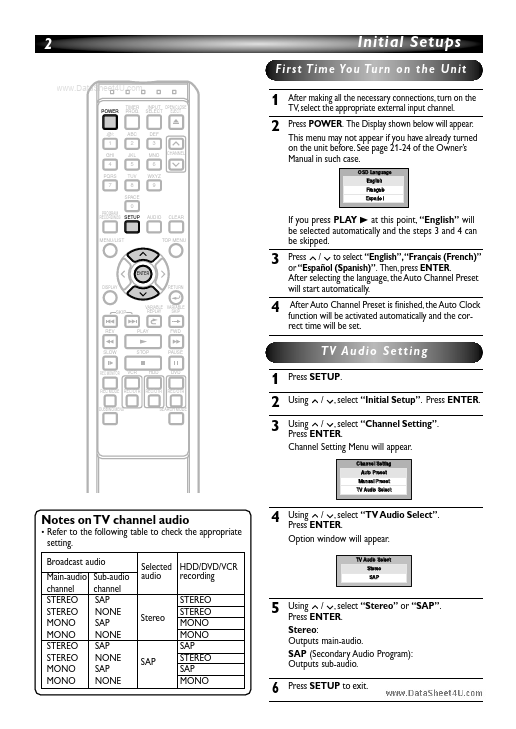
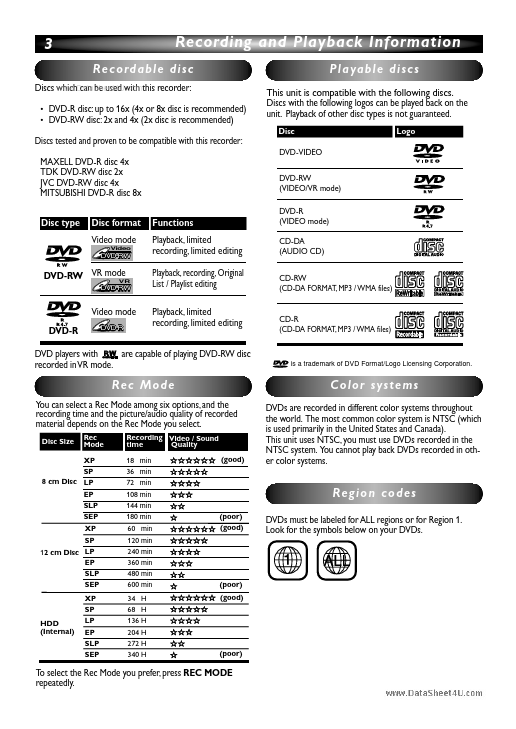
Funai HDRV200F
DVD/Video Cassette Recoder
| Part No. | HDRV200F |
|---|---|
| Datasheet | HDRV200F Download |
| Manufacturer | Funai |
| Description | DVD/Video Cassette Recoder |
| Buy | Stock & Price |
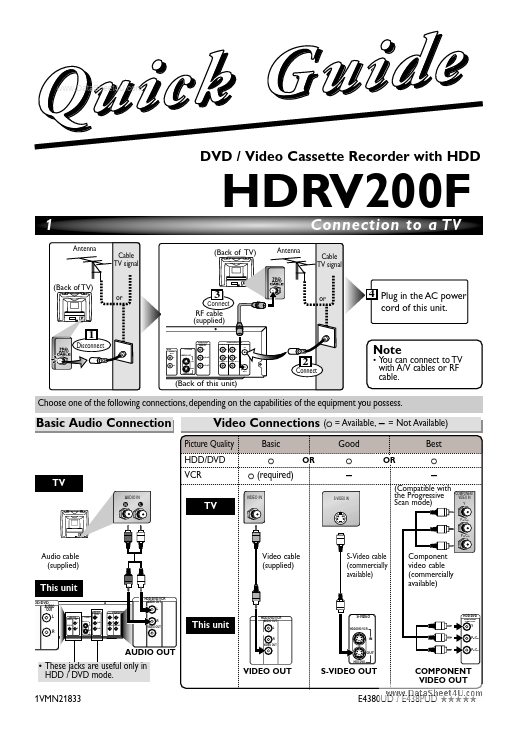
e d i u G k c i Qu DVD / Video Cassette Recorder with HDD HDRV200F 1 Antenna Cable TV signal (Back of TV) or (Back of TV) Antenna Connection to a TV Cable TV signal 3 Connect RF cable (supplied) HDD/DVD COMPONENT VIDEO OUT or 4 Plug in the AC power cord of this unit. 1 Disconnect HDD/DVD/VCR AUDIO IN AUDIO OUT ANTENNA IN /DVD AUDIO OUT L S-VIDEO Y L L HDD/DVD/VCR PB/CB IN R R Note 2 Connect VIDEO IN VIDEO OUT R OUT PR/CR OUT HDD/DVD (Back of this unit)
● You can connect to TV with A/V cables or RF cable. Choose one of the following connections, depending on the capabilities of the equipment you possess. Basic Audio Connection Video Connections Picture Quality HDD/DVD Basic V V (V = Available, - = Not Available) Good Best OR V OR V TV AUDIO IN VCR TV (required) S-VIDEO IN (Compatible with the Progressive Scan mode) COMPONENT VIDEO IN Y VIDEO IN PB/CB PR/CR Audio cable (supplied) Video cable (supplied) S-Video cable (commercially available) This unit HDD/DVD/VCR Component video cable (co...
● You can connect to TV with A/V cables or RF cable. Choose one of the following connections, depending on the capabilities of the equipment you possess. Basic Audio Connection Video Connections Picture Quality HDD/DVD Basic V V (V = Available, - = Not Available) Good Best OR V OR V TV AUDIO IN VCR TV (required) S-VIDEO IN (Compatible with the Progressive Scan mode) COMPONENT VIDEO IN Y VIDEO IN PB/CB PR/CR Audio cable (supplied) Video cable (supplied) S-Video cable (commercially available) This unit HDD/DVD/VCR Component video cable (co...