

Datasheet4U Logo Datasheet4U.com

GR-AX970 - Compact VHS Camcorder

This page provides the datasheet information for the GR-AX970, a member of the GR-SXM240 Compact VHS Camcorder family.

Features

  • pg. 22, 23 Recording, Start/Stop pg. 11 Recording Format (S-VHS/S-VHS ET) pg. 20 Recording Mode pg. 20 Record-Standby pg. 11 Red Filter Effect pg. 23 Retake pg. 13 Rewind The Tape pg. 11 C Cassette Adapter pg. 16 Charge Marker pg. 6 Charging The Battery Pack pg. 6 Classic Film Effect pg. 23 Clean The Camcorder pg. 27 Connection To a VCR/TV pg. 15 Connection To A PC pg. 16 Counter Memory pg. 14 S Self-Recording pg. 11 Sepia Mode pg. 23 Shoulder Strap Attachment.

📥 Download Datasheet

Datasheet preview – GR-AX970

Datasheet Details

Part number GR-AX970
Manufacturer JVC
File Size 630.41 KB
Description Compact VHS Camcorder
Datasheet download datasheet GR-AX970 Datasheet
Additional preview pages of the GR-AX970 datasheet.
Other Datasheets by JVC

Full PDF Text Transcription

Click to expand full text
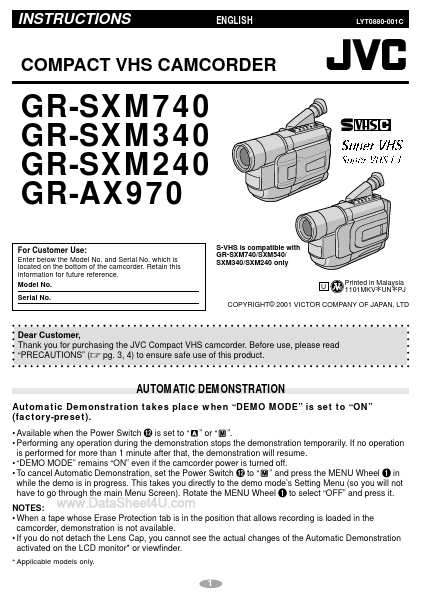
INSTRUCTIONS www.DataSheet4U.com ENGLISH LYT0880-001C COMPACT VHS CAMCORDER GR-SXM740 GR-SXM340 GR-SXM240 GR-AX970 For Customer Use: Enter below the Model No. and Serial No. which is located on the bottom of the camcorder. Retain this information for future reference. Model No. Serial No. S-VHS is compatible with GR-SXM740/SXM540/ SXM340/SXM240 only U Printed in Malaysia 1101MKV UN PJ * * COPYRIGHT© 2001 VICTOR COMPANY OF JAPAN, LTD Dear Customer, Thank you for purchasing the JVC Compact VHS camcorder. Before use, please read “PRECAUTIONS” (੬ pg. 3, 4) to ensure safe use of this product. AUTOMATIC DEMONSTRATION Automatic Demonstration takes place when “DEMO MODE” is set to “ON” (factory-preset). • Available when the Power Switch @ is set to “ ” or “ ”.
Published: |