JVC GR-SXM740
Compact VHS Camcorder
| Part No. | GR-SXM740 |
|---|---|
| Datasheet | GR-SXM740 Download |
| Manufacturer |  JVC JVC |
| Description | Compact VHS Camcorder |
| Buy | Stock & Price |
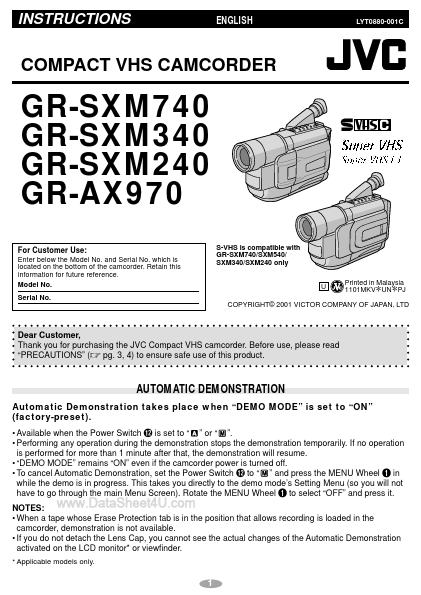
INSTRUCTIONS ENGLISH LYT0880-001C COMPACT VHS CAMCORDER GR-SXM740 GR-SXM340 GR-SXM240 GR-AX970 For Customer Use: Enter below the Model No. and Serial No. which is located on the bottom of the camcorder. Retain this information for future reference. Model No. Serial No. S-VHS is compatible with GR-SXM740/SXM540/ SXM340/SXM240 only U Printed in Malaysia 1101MKV UN PJ * * COPYRIGHT© 2001 VICTOR COMPANY OF JAPAN, LTD Dear Customer, Thank you for purchasing the JVC Compact VHS camcorder. Before use, please read “PRECAUTIONS” (੬ pg. 3, 4) to ensure safe use of this product. AUTOMATIC DEMONSTRATION Automatic Demonstration takes place when “DEMO MODE” is set to “ON” (factory-preset).
● Available when the Power Switch @ is set to “ ” or “ ”.
● Performing any operation during the demonstration stops the demonstration temporarily. If no operation is performed for more than 1 minute after that, the demonstration will resume.
● “DEMO MODE” remains “ON” even if the camcorder power is turned off.
● To cancel Automatic Demonstration, set the Power Switch @ to “ ” and press the MENU Wheel 1 in while the demo is in progress.
● Available when the Power Switch @ is set to “ ” or “ ”.
● Performing any operation during the demonstration stops the demonstration temporarily. If no operation is performed for more than 1 minute after that, the demonstration will resume.
● “DEMO MODE” remains “ON” even if the camcorder power is turned off.
● To cancel Automatic Demonstration, set the Power Switch @ to “ ” and press the MENU Wheel 1 in while the demo is in progress.