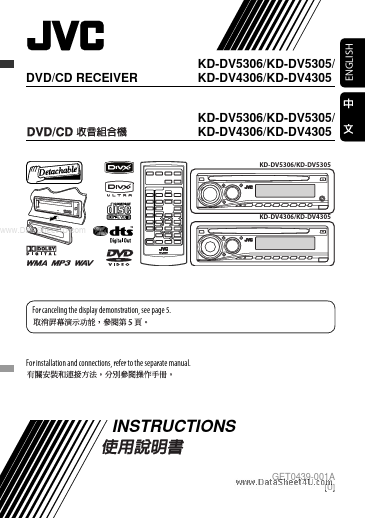
KD-DV5305
KD-DV5305 is (KD-DVx30x) DCD/CD Receiver manufactured by JVC.
- Part of the KD-DV4306 comparator family.
- Part of the KD-DV4306 comparator family.
DVD/CD RECEIVER
KD-DV5306/KD-DV5305/ KD-DV4306/KD-DV4305 KD-DV5306/KD-DV5305/ KD-DV4306/KD-DV4305
KD-DV5306/KD-DV5305
KD-DV4306/KD-DV4305
..
For canceling the display demonstration, see page 5.
For installation and connections, refer to the separate manual.
INSTRUCTIONS
GET0439-001A
[U]
ENGLISH
ENGLISH
Thank you for purchasing a JVC product. Please read all instructions carefully before operation, to ensure your plete understanding and to obtain the best possible performance from the unit.
IMPORTANT FOR LASER PRODUCTS
1. CLASS 1 LASER PRODUCT 2. CAUTION: Do not open the top cover. There are no user serviceable parts inside the unit; leave all servicing to qualified service personnel. 3. CAUTION: Visible and/or invisible class 1M laser radiation when open. Do not view directly with optical instruments. 4. REPRODUCTION OF LABEL: CAUTION LABEL, PLACED OUTSIDE THE UNIT.
How to forcibly eject a disc
..
[European Union only]
This product incorporates copyright protection technology that is protected by U.S. patents and other intellectual property rights. Use of this copyright protection technology must be authorized by Macrovision, and is intended for home and other limited viewing uses only unless otherwise authorized by Macrovision. Reverse engineering or disassembly is prohibited.
- Be careful not to drop the disc when it ejects.
- If this does not work, reset your unit.
How to use functions mode
If you press M MODE, the unit goes into functions mode, then the number buttons and 5/∞ buttons work as different function buttons.
How to reset your unit
[Within 5 seconds...]
- Your preset adjustments will also be erased.
- DO NOT install any unit in locations where;
- it may obstruct the steering wheel and gearshift lever operations.
- it may obstruct the operation of safety devices such as air bags.
- it may obstruct visibility.
- DO NOT operate the unit while driving.
- If you need to operate the unit while driving, be sure to look ahead carefully.
-...