

Datasheet4U Logo Datasheet4U.com

UT351-xA - Digital Indocating Controller

Datasheet Summary

Description

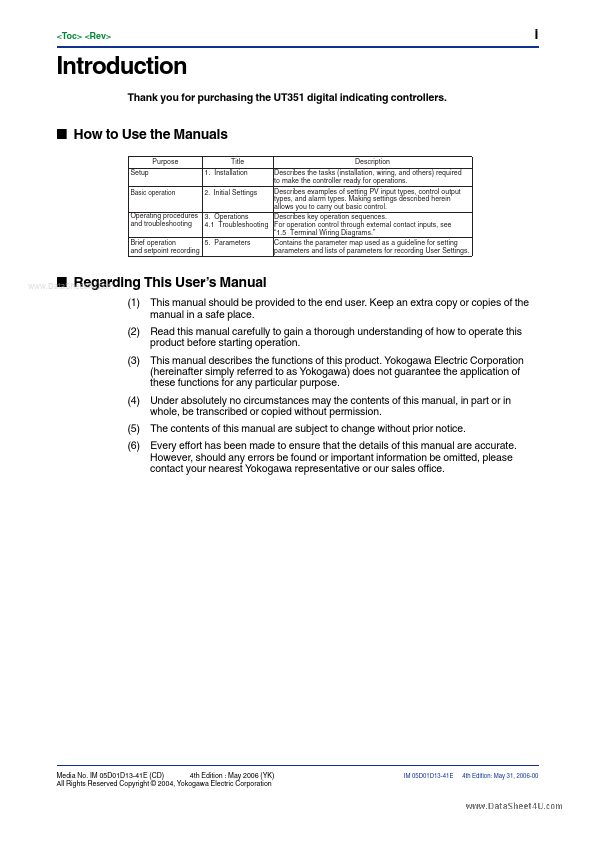
Describes the tasks (installation, wiring, and others) required to make the controller ready for operations.

Describes examples of setting PV input types, control output types, and alarm types.

Making settings described herein allows you to carry out basic control.

Features

  • of the controller. I Force Majeure (1) Yokogawa assumes no liability to any party for any loss or damage, direct or indirect, caused by the use or any unpredictable defect of the product. (2) No portion of the software supplied by Yokogawa may be transferred, exchanged, leased or sublet for use by any third party without the prior permission of Yokogawa. (3) Be sure to use the spare parts approved by Yokogawa when replacing parts or consumables. (4) Use this software with one specified computer.

📥 Download Datasheet

Datasheet preview – UT351-xA

Datasheet Details

Part number UT351-xA
Manufacturer yokogawa
File Size 1.32 MB
Description Digital Indocating Controller
Datasheet download datasheet UT351-xA Datasheet
Additional preview pages of the UT351-xA datasheet.
Other Datasheets by yokogawa

Full PDF Text Transcription

Click to expand full text
User’s Manual Model UT351-xA Digital Indicating Controller with Active Color PV Display and Embedded Ethernet User’s Manual IM 05D01D13-41E www.DataSheet4U.com IM 05D01D13-41E 4th Edition www.DataSheet4U.com i Introduction Thank you for purchasing the UT351 digital indicating controllers. I How to Use the Manuals Purpose Setup Basic operation Title 1. Installation 2. Initial Settings Description Describes the tasks (installation, wiring, and others) required to make the controller ready for operations. Describes examples of setting PV input types, control output types, and alarm types. Making settings described herein allows you to carry out basic control. Operating procedures 3. Operations Describes key operation sequences. and troubleshooting 4.
Published: |